

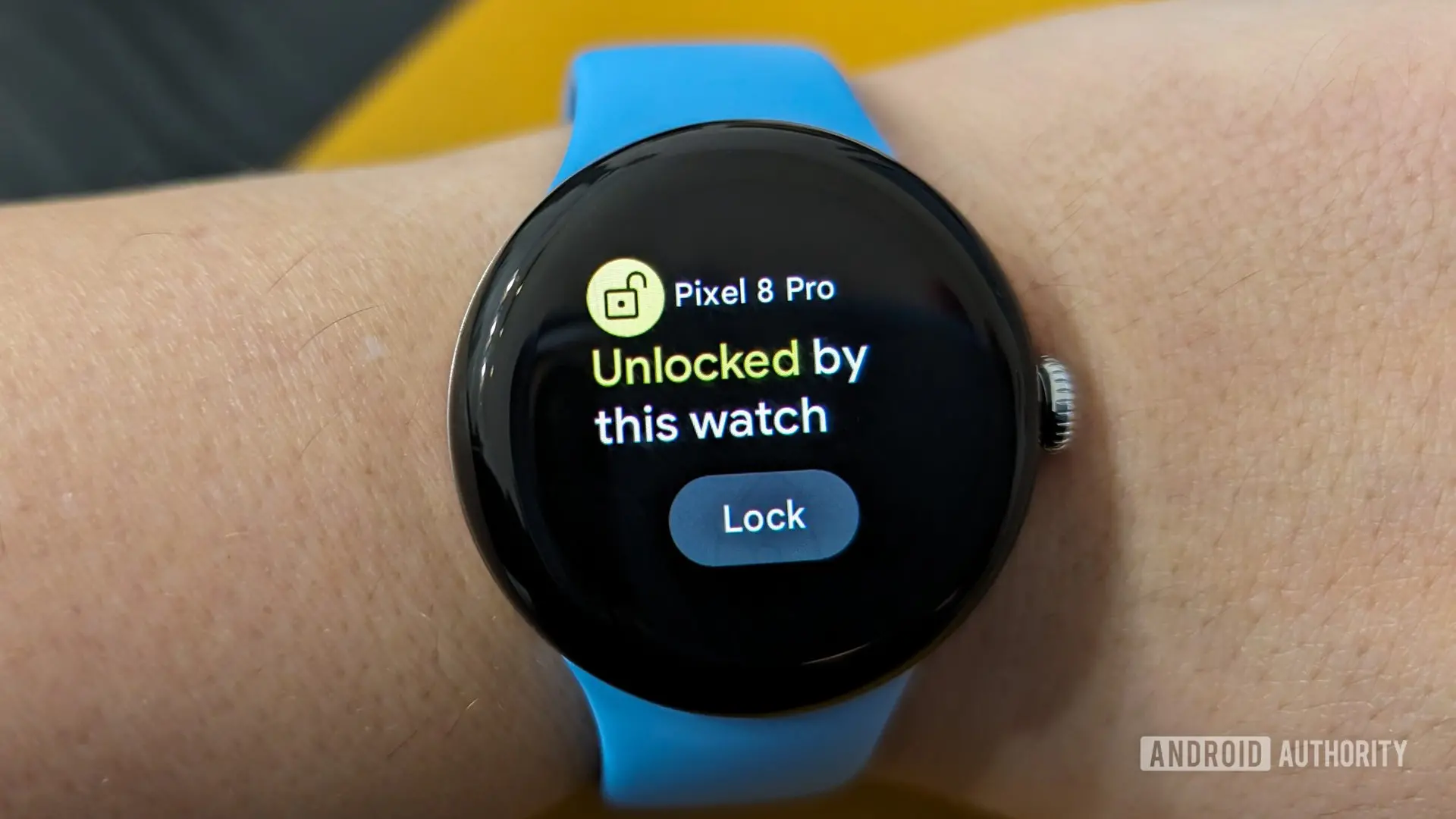
Google is reportedly developing a new feature for its Pixel Watch lineup that could significantly streamline the user experience. Currently, Pixel Watches offer a 'Watch Unlock' capability that allows users to unlock their paired Pixel phone when they unlock the watch. However, according to code strings discovered within Google's Connected Phone & Watch services app, the company is now working on a reverse functionality called 'Phone to Watch Unlock.' This feature would automatically unlock the Pixel Watch whenever the user unlocks their paired Pixel phone, eliminating the need to enter a PIN or pattern on the watch's small display after removal.
How Phone to Watch Unlock Would Work
The code strings detail a seamless process: after a one-time setup where the user verifies their existing watch credentials (PIN, pattern, or password), the phone and watch establish a trusted relationship. Then, every time the user unlocks the phone, a signal is sent to the watch to unlock itself automatically. Status messages such as 'Unlocking your watch' and 'Watch unlocked' confirm the action has taken place. Notifications like 'Automatically unlock your watch?' suggest Google plans to proactively prompt users to enable the feature after it rolls out.
The feature is part of the Connected Phone & Watch services app, which is exclusive to Pixel devices. This app already provides other cross-device functions such as 'Left Behind' notifications and 'Lock phone when left behind.' The exclusivity indicates that Phone to Watch Unlock will not be a generic Wear OS component but rather a Pixel-specific enhancement, much like the existing Watch Unlock feature that works with Pixel phones and watches.
Background: The Current Watch Unlock Feature
To understand the significance of Phone to Watch Unlock, it is helpful to look at the existing ecosystem. Google introduced Watch Unlock with the first Pixel Watch, allowing users to keep their phone unlocked as long as the watch is on their wrist and unlocked. This is particularly useful for people who frequently remove their phone from their pocket or use biometric authentication like fingerprint or face unlock. However, the current system has a limitation: if the watch is taken off—even briefly—it locks itself for security. The next time the user puts the watch on, they must enter a PIN or pattern on the tiny screen, which can be cumbersome, especially if they are in a hurry or have multiple devices.
Phone to Watch Unlock addresses this pain point directly. By using the phone's unlock as a trigger, the watch can be automatically unlocked without any additional input. This is similar to how some smartwatches from other manufacturers, like Apple Watch with iPhone, handle unlocking. Apple's approach uses the iPhone's Face ID or passcode to unlock the watch when it's worn, but Google's implementation appears to be more straightforward: simply unlock the phone, and the watch follows suit.
What the Code Reveals
The code strings were found in version 1.2.0.603806645 of the Connected Phone & Watch services app. Among the identified strings are:
<string name=cross_device_unlock_title>Unlock your watch with this phone</string><string name=cross_device_unlock_discovery_notification_message>Skip entering a PIN or pattern. Simply unlock your phone to use your watch.</string><string name=cross_device_unlock_auth_prompt_title_pin>Enter current PIN on your watch</string><string name=cross_device_unlock_message_unlocked>Watch unlocked</string>
These strings indicate that the setup process requires entering the existing watch PIN, pattern, or password to authorize the phone to unlock the watch. Once authorized, the phone can autonomously unlock the watch each time the phone is unlocked. There is also a string that suggests the relationship can be transferred when upgrading to a new Pixel Watch: <string name=cross_device_unlock_discovery_notification_message_old_to_new_device>Unlocking your phone will now unlock %1$s instead of %2$s</string>. This points to Google considering the user journey when switching devices, a sign of thoughtful design.
Security Implications
Security is a major consideration for any feature that automatically unlocks a device. The current Watch Unlock requires the watch to be on the user's wrist and unlocked, which ensures that the phone is only unlocked when the watch is with the user. For Phone to Watch Unlock, the watch must be paired and within Bluetooth range of the phone, but there is no explicit mention of requiring the watch to be worn. If the watch is not on the wrist, automatic unlocking could allow someone else to access the watch if they gain physical possession and the phone is unlocked. However, Google likely has safeguards in place; for example, the feature may only activate when the watch is on the wrist and the phone is unlocked within a short time window. The code does not reveal all details, but similar implementations from other platforms suggest that continuous authentication (like wrist detection) is maintained.
Another potential security measure is that the feature may require the phone to be unlocked with a strong authentication method (PIN, password, or biometric) rather than just a Smart Lock exception. The strings mention 'Skip entering a PIN or pattern,' implying the phone's unlock acts as a proxy for the watch's security. This could be a trade-off between convenience and security, but for most users, the convenience of not having to type on a small screen is likely worth it.
Expanding the Pixel Ecosystem
This development fits into Google's broader strategy of creating a cohesive ecosystem around Pixel devices. The company has been gradually building features that integrate its phones, watches, tablets, and earbuds. For instance, Pixel Buds can switch seamlessly between paired devices using Google's Fast Pair, and Pixel Tablets can leverage phone connectivity for messaging and calls. The Connected Phone & Watch services app is a key component of this integration, providing the backbone for cross-device interactions.
Phone to Watch Unlock also aligns with trends in the industry. Apple's Watch can unlock Macs, and Samsung's Galaxy Watch can unlock Galaxy phones when worn. Google's approach, however, is unique in that it unlocks the watch using the phone, rather than the other way around. This makes sense because phones are typically unlocked more frequently throughout the day than watches, and users are often more comfortable entering a PIN or using biometrics on their phone than on a tiny watch display.
When Can We Expect It?
As of now, Phone to Watch Unlock is not live. The code strings were found in a version of the app that is likely under active development, and there is no official timeline for a public rollout. Given that Google often debuts new features with major Android platform updates or Pixel Feature Drops, it is reasonable to expect that Phone to Watch Unlock could arrive alongside Android 15 or a future Pixel Watch system update. The strings appear polished, with promotional notifications and user-facing messages ready, suggesting that development is well advanced.
However, it is important to note that APK teardowns are based on work-in-progress code, and not all discovered features make it to a stable release. Google may decide to cancel the feature or modify it significantly before launch. Nonetheless, the presence of detailed strings and the logical benefit of the feature make it likely that we will see it soon.
Comparison with Other Solutions
Several third-party apps, such as 'Wear Unlock' for Wear OS, already offer similar functionality, but they often require sideloading or complex permissions. A first-party solution from Google would be more reliable, better integrated, and likely more secure. It would also benefit from being part of the Connected Phone & Watch services app, which is pre-installed on Pixel devices and receives regular updates through the Play Store.
For users with multiple Pixel devices, this feature could be a game-changer. Imagine having a Pixel 9 Pro and a Pixel Watch 3: you unlock your phone in the morning, and your watch automatically unlocks, ready for notifications, fitness tracking, and quick actions. No more tapping in a PIN on a 1.2-inch screen. If you later switch to a new Pixel Watch, the trusted relationship can be transferred without re-entering credentials, as indicated by the code.
There are also potential future extensions. For instance, if the Pixel Watch can be unlocked by the Pixel phone, could the same mechanism work for unlocking a Pixel Tablet or Pixel Buds? While the current code only mentions watch unlocking, the underlying technology—cross-device trust based on proximity and authentication—could be expanded to other devices. Google has already dabbled with similar concepts through its 'Device Unlock' features in Android.
The User Experience
One of the most compelling aspects of Phone to Watch Unlock is the reduction in friction. Many smartwatch owners complain about having to re-enter their PIN every time they take off the watch, even for a minute to wash hands or charge the device. With automatic unlocking, the watch would be ready to use as soon as it's back on the wrist and the phone is unlocked. The process is invisible to the user, happening in the background as they use their phone.
The one-time setup is straightforward: the user is prompted to authorize the phone to unlock the watch by entering the watch's current lock method. After that, no further interaction is needed. The promotional notifications mentioned in the code suggest that Google will inform users about the feature through system notifications, likely after a software update or when they set up a new Pixel Watch.
It is also worth noting that the feature can be toggled on and off. Users who prioritize security over convenience may choose to disable it, especially if they frequently leave their phone unattended or have concerns about someone else unlocking their watch. The code does not indicate any requirement for the watch to be on the wrist for the automatic unlock to work, but Google will likely implement wrist detection as a safety measure, given that the current Watch Unlock feature already uses it.
Technical Considerations
The feature relies on Bluetooth Low Energy (BLE) communication between the phone and watch. When the phone is unlocked, it sends a cryptographic token to the watch, which then unlocks. The token is likely time-limited and tied to the phone's authentication. This is similar to how Android's 'Smart Lock' works but applied in reverse. The implementation is likely more secure than a simple proximity-based unlock because it requires explicit user authentication on the phone.
The code also reveals that the feature is part of the 'cross_device_unlock' namespace, indicating that Google may have plans to extend this to other cross-device unlocks in the future. For example, unlocking a Pixel Tablet using a Pixel phone, or unlocking a Chromebook using a Pixel Watch. Such integration would further strengthen the Pixel ecosystem and compete with offerings from Apple and Samsung.
Another technical detail is that the feature will be exclusive to Pixel devices. This is evident from the fact that the Connected Phone & Watch services app is not available on non-Pixel Android phones. While some manufacturers like Samsung have their own watch unlock mechanisms, Google's approach is tailored to its own hardware. This could be a double-edged sword: it drives Pixel device sales but limits the feature's reach among the broader Android user base.
Source: Android Authority News