

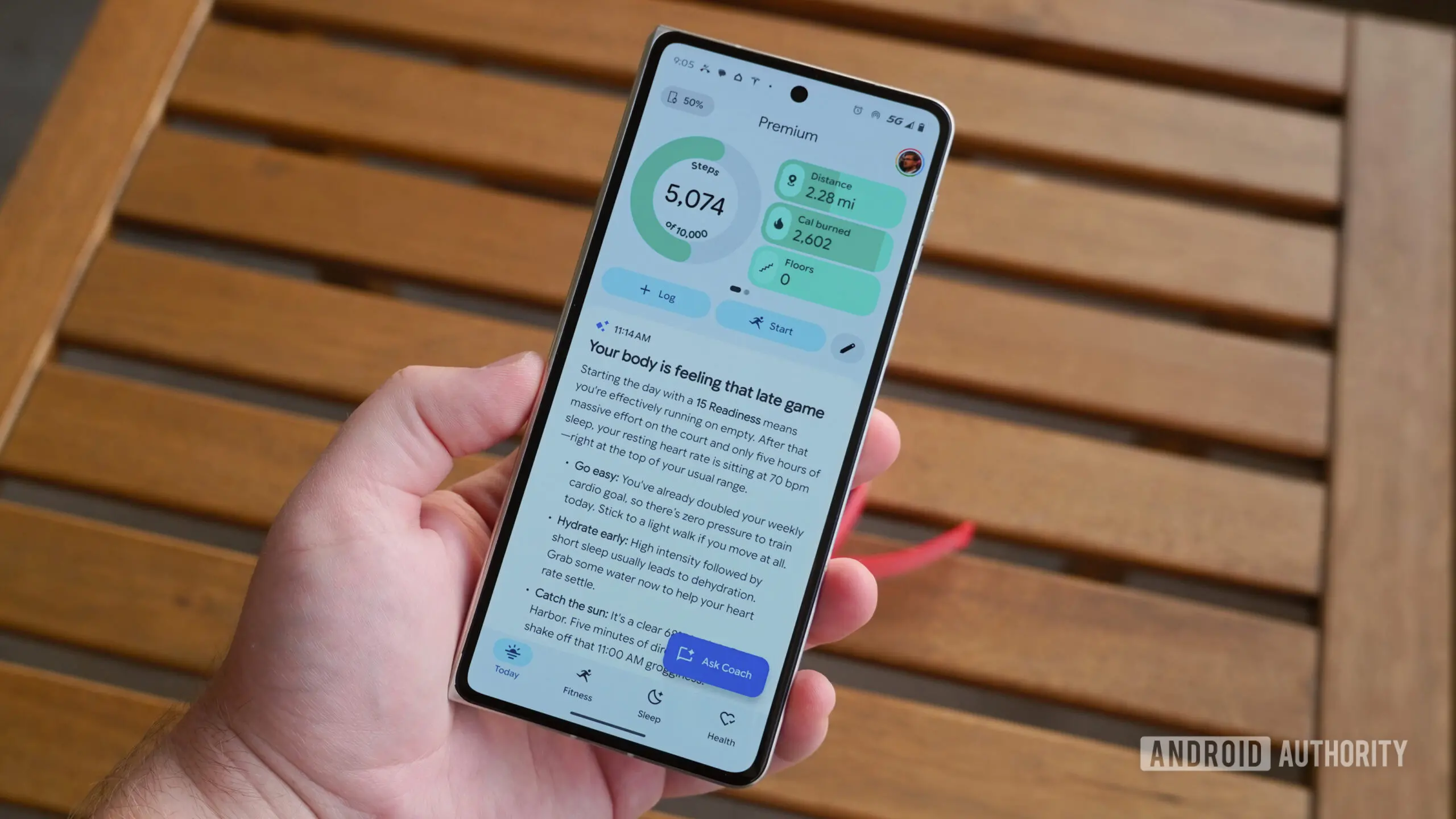
Google Health Premium is getting a welcome quality-of-life update. The latest version of the Google Health app introduces a new setting called "No Coach insights," which removes Health Coach's AI-generated guidance and insights from the Today tab. The change gives users more control over how much artificial intelligence they see on their health dashboard, and it comes after several users complained that Health Coach's suggestions were often unhelpful, repetitive, or even questionable.
The update is rolling out now as version 5.06 of Google Health for Android and iOS. Anyone with a Google Health Premium subscription can download it from the Play Store or the App Store, depending on their device. Once installed, the new toggle appears in the Health Coach settings menu, and turning it on will immediately clear the Today tab of Health Coach text and insights. Importantly, this does not remove Health Coach from Google Health entirely; rather, it stops the assistant from inserting itself into the app's home screen. Users who enjoy chatting with Health Coach can still access it from other parts of the app.
- Google Health Premium includes AI-driven guidance in the app's Today tab.
- The latest version 5.06 adds a "No Coach insights" toggle to hide this guidance.
- Users can still access Health Coach after disabling the Today tab insights.
- The toggle is found under profile picture > Google Health settings > Coach.
- The update is rolling out now on Android and iOS.
What Is Health Coach?
Health Coach is a Gemini-powered tool built into Google Health Premium. It is designed to use the health and activity data that users store in Google Health to answer questions, offer nudges, and provide guidance on various wellness topics. The tool is explicitly positioned as non-medical advice, meaning it is not meant to diagnose conditions or replace a professional healthcare provider. Instead, it focuses on general wellness, helping users understand trends in their activity, sleep, nutrition, and other health metrics.
For example, a user might ask Health Coach to summarize their sleep patterns over the past week or to suggest ways to increase their daily step count. Health Coach can pull relevant data from Google Health and generate a conversational response. In many ways, it is similar to other AI health assistants that have emerged in recent years, but it has the advantage of being deeply integrated with Google's own health data ecosystem.
When Health Coach is active, it does not wait for the user to initiate a conversation. The Today tab, which is the default landing screen of the Google Health app, is designed to surface relevant information and suggestions. For Health Coach, that means displaying a block of AI-generated insights near the top of the Today tab. These insights are meant to be proactive, offering tips and observations based on recent user data. For some users, this proactive approach is helpful; it can remind them to hydrate, move more, or pay attention to changes in their health metrics. For others, the same insights can feel intrusive, verbose, and sometimes inaccurate.
Why Google Is Adding a 'No Coach Insights' Toggle
The decision to add a "No Coach insights" toggle likely stems from growing dissatisfaction among some Google Health Premium subscribers. In the months since Health Coach launched, a number of users have reported that the insights appearing on the Today tab were too long, too frequent, or not sufficiently personalized. Some users even noted that Coach's suggestions could be misleading or based on incomplete data, which is particularly concerning for a health-focused application.
One detailed review of Google Health Premium published over the summer highlighted this issue. The reviewer spent several weeks using Health Coach and found that the AI's insights sometimes made the app worse, not better. Instead of feeling like a supportive health companion, the Today tab felt crowded and cluttered with AI-generated text that often repeated the same advice. The review recommended that Google give users the ability to hide these insights, and it appears the company has listened.
Prior to the official rollout, evidence of the toggle was found in the app's code. Strings referencing "No Coach insights" were discovered earlier in the summer, suggesting that Google was already working on the feature. The fact that the toggle has now gone live in version 5.06 is a sign that Google is committed to refining Health Coach based on user feedback.
How to Disable Health Coach Insights Today
If you are a Google Health Premium subscriber and want to remove Health Coach insights from your Today tab, the process is straightforward. First, open
Source: Android Authority News