

Learning to Use Local AI Is Exciting, Overwhelming, and Frustrating
Running artificial intelligence on a personal computer sounds like a simple upgrade: instead of sending prompts and private data to a cloud service, you keep everything on hardware you own. In practice, the experience is far more complicated. It is exciting because the privacy benefits are real and the technology is improving quickly. It is overwhelming because the ecosystem is crowded with models, tools, hardware requirements, and configuration choices. It is frustrating because local AI still breaks, stalls, and demands a level of technical patience that most mainstream software does not.
The appeal is easy to understand. Cloud-based AI tools are convenient, but they require trust. Users hand over emails, calendars, financial records, work documents, and personal preferences to companies such as OpenAI, Google, Microsoft, and Anthropic. For many people, that trade-off is acceptable. For others, it is a major hold-up. Local models offer a different bargain: the data stays on the machine, the model can be run without a subscription, and the agent answers to the owner rather than a distant platform. That difference is not just philosophical. It changes what tasks feel safe to delegate.
The hardware pitch and the model overload
Hardware makers have noticed the trend. New Mac desktops are being pitched partly on how well they handle local AI workloads. A new line of Windows machines with RTX Spark chips is arriving with up to 128GB of RAM and aimed at agentic AI. The message is clear: local AI and agents are hot, and the industry wants users to believe that powerful personal computers are the right place to run them.
The reality is more nuanced. A high-end desktop with 256GB of unified memory can run almost any model a user might want. That sounds liberating until the model picker appears. There are more models than anyone can count, and many have specialized strengths. Some are better at coding, some at writing, some at analysis, some at following long instructions. Generally, models with many billions of parameters can do more than smaller models with only a few billion, but bigger models also require more memory, more storage, and more patience.
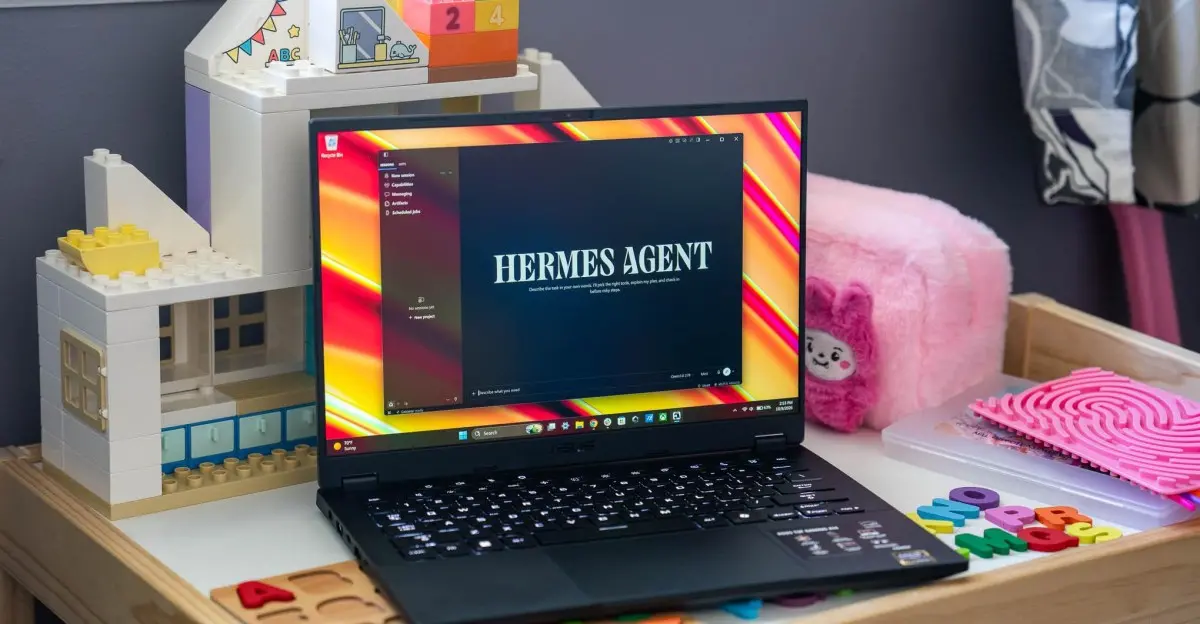
In one test, a local agent called Hermes was installed on a Mac Studio with 256GB of unified memory. Hermes is a self-hosted AI agent desktop app that works on macOS, Windows, and Linux. It is free to use with local LLMs. The first model selected was Qwen 3.8 Flash Next, a 125-billion-parameter model that takes up around 105GB of space. The plan was also to spend time with much smaller Qwen models on devices such as an M6 Mac Mini, an M5 MacBook Air, an Asus TUF Gaming A14 with an AMD Strix Halo processor, and eventually an RTX Spark machine. The contrast between a 105GB model and a small laptop model is one of the key tensions in local AI: capability versus portability.
Getting Hermes and Qwen running did not take long. The agent could even be controlled from a phone through a Telegram bot. But once the setup was finished, the familiar problem returned: the text box. A blank prompt field is a strange kind of obstacle. It is one thing to know that a model can generate text, answer questions, and call tools. It is another to decide what to ask it to do first.
Starting small with a daily briefing
To get moving, the first project was a daily morning briefing. The idea came from helpful YouTube advice: start small with a cron job and make sure the pieces work. The local agent scanned email and calendar, flagged anything that needed immediate attention, and added a short weather report. It was not especially useful, and it certainly did not require a $12,000 computer, but it was a manageable first step that could be developed over time.
The briefing failed to generate at first. The problem turned out to be simple: macOS could not be asleep when the job fired at 7:30am. Once that was understood, the briefing worked like clockwork. The next challenge was making it more helpful. A basic scan of email and calendar is not the same as a useful assistant. To improve the results, the agent needed more information and better instructions. That is a recurring theme with local AI: the tool can act, but the user has to define the job.
A more useful task: reorganizing a Steam library
A more practical experiment involved a Steam library with over 400 games. Steam does not categorize games automatically, so users either sort them manually one by one or leave the library in a long, messy list. This is exactly the kind of repetitive busy work that an agent can handle.
The request was straightforward: reorganize the Steam library. Hermes could see most of the installed games by viewing the Steam client. It quickly produced organization options. The decision was to sort games by genre while preserving custom categories such as favorites, co-op titles, party games, and games to play with a spouse. To take action, the agent needed permission over the machine. In this case, that meant registering a Steam web API key and giving it to Hermes. With that access, sorting the games into categories took only a few minutes. The API key was easy to revoke afterward because it was no longer needed.
The result was a cleaner, more browsable library. The plan is for the agent to do that heavy lifting once, then the user will file new games into categories as they are purchased. It was a small victory, but a meaningful one. It showed how local AI can handle a task that is tedious for a human but trivial for a capable model with the right permissions.
Privacy-sensitive analysis and under-embargo data
Another simple but important use case was data analysis. The local agent reviewed financial records and crunched numbers. It also created a spec comparison spreadsheet for a new laptop. These are small tasks, but they are exactly the tasks that many users would not trust to a cloud service. Financial records are sensitive. The laptop information was under embargo, meaning it could not be uploaded to an external server without breaking confidentiality. Keeping the data on a local computer was the difference between using the tool and not using it at all.
That is where local AI makes its strongest case. It is not just about avoiding subscription fees. It is about expanding the set of tasks that can be automated without creating new privacy or security risks. A local agent can work with documents, spreadsheets, and personal data in a way that feels more acceptable because the data never leaves the machine.
The bigger automation project: laptop benchmarks
The more ambitious automation project is a script to run a series of laptop benchmark tests. Benchmarking is done manually, and tending to a laptop for a dozen or so tests, repeated three times to take an average, is incredibly time-consuming. The goal is to automate at least part of that process.
So far, the work has been an endeavor. Walking the local agent through all the required procedures and getting it to produce vibe-coded Python scripts has taken significant effort. The project remains a work in progress. But it points to a future where local agents handle repetitive testing and data collection, freeing a human to focus on analysis and interpretation.
The cost of local compute
Local AI also has a hardware cost that is easy to underestimate. At a briefing, Apple demonstrated a cluster of four Mac Studios wired together for local AI. That is nearly $50,000 worth of compute. For most people, that kind of setup is not realistic. Even a single high-end machine with enough unified memory to run large models is expensive. The price is not just the computer. It is the time spent learning the tools, configuring permissions, troubleshooting failures, and figuring out which model is appropriate for which task.
Smaller models on more affordable hardware may be enough for many jobs. A Mac Mini, a MacBook Air, a gaming laptop with an AMD Strix Halo processor, or an RTX Spark machine can run useful local models. But the experience varies widely. A model that works well on a desktop may be too slow or too limited on a laptop. A task that succeeds with a 125-billion-parameter model may fail with a smaller one. The ecosystem is still maturing, and users are often forced to become system administrators, model evaluators, and prompt engineers at the same time.
What still breaks
It is still early days. Even powerful local models do not create a magical assistant that can do anything. Things still do not always work as intended. The daily briefing broke multiple times. Automation scripts require debugging. Permissions must be managed carefully. Model updates can change behavior. The gap between a demo and a dependable workflow remains wide.
The daily briefing is a good example. It was supposed to be simple: scan email, check the calendar, report the weather, and flag urgent items. When it worked, it was mildly useful. When it broke, it was because of something mundane, such as the computer being asleep. That is the nature of local AI. The intelligence is impressive, but the reliability often depends on ordinary computing details: power states, cron schedules, API keys, file permissions, and network access.
A tool, not a friend
Local AI is best viewed as a tool, a computer program to run on a computer. It is not a digital friend. There is no need to say please or thank you. There is no need to apologize when changing one’s mind. The interaction can be as cold and indifferent as clicking a mouse around an operating system. That framing may sound harsh, but it is useful. It sets expectations. The agent is not a companion. It is a utility that can be directed, corrected, and turned off.
That perspective also makes it easier to stay cautious. Local AI is powerful, but it is not automatically safe or reliable. It needs permissions to act. It can access email, calendars, files, and APIs. It can make mistakes. It can break. It can be manipulated by bad instructions or bad data. The privacy benefits are real, but they do not eliminate the need for vigilance.
For now, the daily briefing runs when the Mac stays awake. The Steam library is sorted. The benchmark automation remains unfinished, and the next round of testing is already underway.
Source: The Verge News