

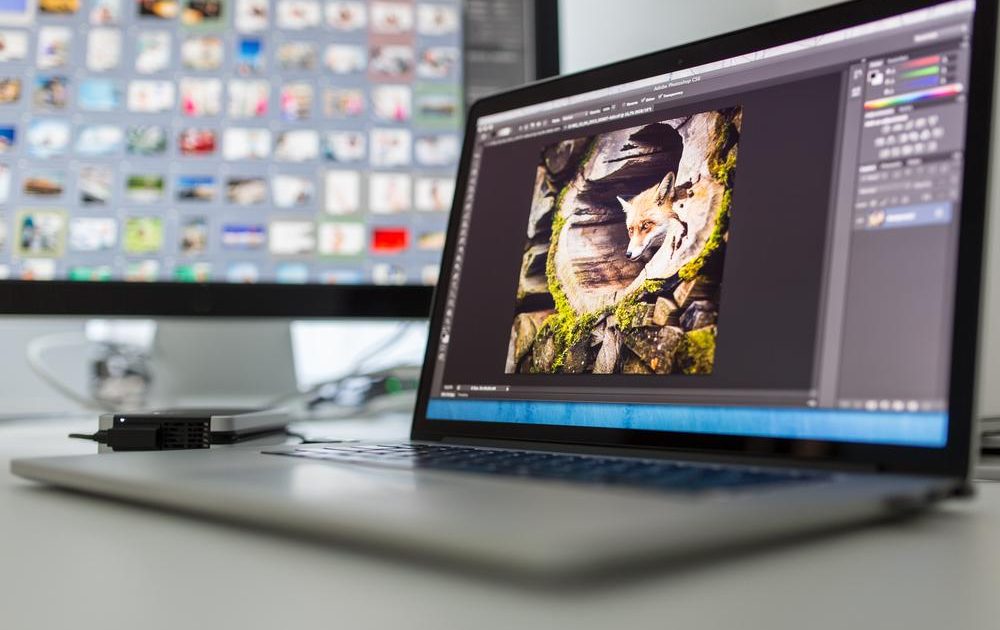
Free photo-editing software has become considerably more capable over the past few years, but the meaning of “free” is no longer simple. Open-source applications typically give users a complete toolset without advertising or subscription gates. Meanwhile, commercial free tiers can require an account, display ads, cap export resolution, watermark output, or place advanced features behind a paywall. Choosing the wrong one can waste time, especially when you need to process sensitive images or deliver professional work.
For most desktop users in 2026, the best overall free option is Affinity, which now combines photo editing, vector design, and page layout in one application. GIMP remains the strongest fully open-source editor and the best alternative to Photoshop. For browser-based editing without installs, Photopea offers a Photoshop-style workspace inside a tab. Photographers who shoot RAW should look at darktable or RawTherapee, both of which rival commercial RAW processors. On mobile, free apps from Adobe provide useful options for touch-up and compositing.
Key facts about the best free editors
- Affinity is recommended as the best overall free photo editor because it includes a professional-grade suite at no cost.
- GIMP 3.2.4 is the latest stable release, adding non-destructive layer effects and other modern improvements.
- Photopea works in any modern web browser and can open and save PSD files, which makes it invaluable for Adobe users.
- Darktable 5.6 combines RAW development with library management and edits photos non-destructively.
- RawTherapee 5.13 focuses exclusively on RAW processing and offers deep technical controls.
- Paint.NET 5.1.12 provides a simple layer-based editing environment for Windows only.
- Lightroom mobile and Photoshop on mobile both offer free tiers for iPhone and Android, though advanced features require a paid plan.
Affinity: Best free photo editor overall
Affinity is a professional-grade creative suite that has become completely free to use. It combines pixel-based photo editing, vector illustration, and desktop publishing into one application. The software supports layers, masks, selections, RAW development, adjustment layers, retouching tools, batch processing, HDR workflows, and even 360° image editing. Affinity describes this version as free forever, not as a limited trial, making it a highly unusual offer in the creative software world.
You need a free Canva account to download and activate the suite. Once installed, the application runs locally on Windows and macOS, so you can edit images offline. Its interface follows the conventions of established design tools, with workspaces and layer panels that will feel familiar to users migrating from Photoshop. The main downside is that Affinity’s vast range of tools can be overkill for simple tasks such as cropping, resizing, or brightening a photo. For those jobs, Paint.NET or a mobile editor may be faster and less intimidating.
GIMP: Best open-source Photoshop alternative
GIMP, or GNU Image Manipulation Program, remains the most capable free and open-source photo editor available. The current stable release is GIMP 3.2.4, which provides official installers for Windows, macOS, and Linux. It includes layers, masks, paths, advanced selection tools, color and tone adjustments, filters, painting tools, transformations, and extensive plug-in support. GIMP can handle everything from simple corrections and retouching to complex multi-layer compositions used in design and digital art.
Version 3.2 introduced non-destructive layer effects, a long-requested capability, along with interface refinements and performance improvements. However, GIMP still has a unique approach to editing. Users moving directly from Photoshop should expect a learning curve as they locate familiar commands and discover which tools have different names or shortcuts. The open-source model means there are no ads, no account requirements, no export restrictions, and no surprise fees. Your images stay on your computer unless you explicitly share them with an online service or add-on.
Despite its strengths, GIMP can feel overwhelming for newcomers because it offers dozens of docks, menus, and plug-ins at once. It is best suited for users who are willing to learn and want a free editor with no strings attached.
Photopea: Best free browser-based photo editor
Photopea delivers a surprisingly complete Photoshop experience directly in a web browser. It supports keyboard shortcuts, layer styles, masks, blending modes, adjustment layers, vector paths, text, and a wide range of filters. One of its chief advantages is compatibility: Photopea can open and save PSD files, as well as a broad variety of raster, vector, and document formats. This makes it useful when a client sends you a layered Photoshop file but you don’t have the software.
Because Photopea does not require installation, it is an ideal option for Chromebooks, shared computers, school labs, or any machine where downloading software is inconvenient. The web app loads quickly and lets you start editing almost immediately. Photopea states that files opened from your device are processed locally and remain on your device. Cloud storage, connected services, and certain online features do require internet access and transmit data.
The free version is supported by advertising, which occupies part of the interface and can be distracting during long editing sessions. Very large files may also be slower inside the browser than they would be in a native desktop program. Still, for anyone who needs Photoshop-style editing without a subscription or installation, Photopea is an exceptional tool.
darktable: Best free RAW developer and library manager
Darktable is a free, open-source photography workflow application that merges RAW development with a powerful digital asset manager. It is designed for photographers who import, organize, process, and export hundreds of images without leaving a single program. Darktable is non-destructive: every edit is stored as an instruction, leaving the original RAW file unchanged. Photographers can revise exposure, color, tone, sharpening, noise reduction, and lens corrections at any time. Local adjustments and masks let you target specific regions of an image while keeping the rest untouched.
The latest release, darktable 5.6, arrived on June 21, 2026, and is available for Windows, macOS, and Linux. Its library features include ratings, tags, color labels, grouping, and extensive filtering. After a trip or event where you have captured hundreds of files, these organizational tools become indispensable. The downside is complexity. Darktable is dense with photography terminology and modules that can interact in subtle ways. Beginners will face a steep learning curve, but the investment pays off for users who regularly process large batches of RAW photographs.
RawTherapee: Best free RAW editor for detailed control
RawTherapee takes a specialized approach to RAW development. It includes highly detailed controls for exposure, tone curves, color management, sharpening, noise reduction, lens correction, and local adjustments. Unlike darktable, RawTherapee puts less emphasis on cataloging or library management; the built-in file browser serves mainly to find and open images for processing. This focus makes it an outstanding choice for photographers who want complete command over how sensor data is converted into a final photo.
RawTherapee 5.13 was released on July 26, 2026, for Windows, macOS, and Linux. Its greatest strength is offering multiple methods for the same technical task. For example, you can choose from various demosaicing algorithms and sharpening profiles rather than relying on a single built-in default. That same flexibility creates a dense, intimidating interface. Some tools assume you already understand the underlying imaging science, so beginners may encounter half a dozen controls where a simpler app would have one automatic slider. Advanced users are likely to consider this degree of control a welcome feature, not a flaw.
Many photographers combine RawTherapee with a pixel editor: they develop RAW files in RawTherapee, export high-quality TIFF files, and then perform layered compositing or detailed retouching in Affinity or GIMP. That workflow yields professional results entirely for free.
Paint.NET: Best simple free photo editor for Windows
Paint.NET is an excellent middle point between lightweight photo apps and heavyweight editors like GIMP or Affinity. For Windows users who need layers, blending, selections, adjustment controls, and plug-in support without a steep learning curve, Paint.NET is a solid choice. The current version is 5.1.12, launched on March 8, 2026. It runs only on modern 64-bit versions of Windows, so there are no native macOS or Linux builds.
Common tasks like resizing, cropping, adjusting brightness, removing a blemish, or working with multiple layers are easy to complete. The interface stays unobtrusive, and the program gives users more power than Microsoft Paint without overwhelming them with professional-grade controls. It even supports a history panel and an active plug-in community. However, advanced photo editing is limited: Paint.NET lacks full RAW support, comprehensive color management, fine typography controls, true masking, and true non-destructive editing. If you rarely work with RAW files or high-end printing, it can still get the job done efficiently.
The classic build is free from the developer’s website. A paid Microsoft Store edition is also available if you prefer store-managed installation and automatic updates.
Adobe Lightroom mobile: Best free mobile editor for photographers
Adobe offers a surprisingly useful free version of Lightroom for iPhone and Android. It is one of the cleanest mobile apps for improving everyday photos. The free tier includes presets and core adjustment sliders for exposure, contrast, highlights, shadows, white balance, color, cropping, and sharpening. The interface is designed around photography rather than graphic design, which makes it easy to quickly brighten an underexposed shot or correct a color cast.
Lightroom mobile is best suited for JPEG, HEIC, and regular phone-camera images. The paid Lightroom Premium plan adds masking, Generative Remove, Lens Blur, premium presets, cloud storage, device sync, RAW file editing, healing brushes, selective adjustments, and geometry controls. For many hobbyists, the free version is enough for social media and casual photo libraries.
Photoshop on mobile: Best free mobile app for layers and composites
Adobe also provides a free version of Photoshop for iPhone and Android. This mobile app brings a layer-based workspace to your phone, with selections, masks, text, cutouts, and compositing tools. It is the right choice when you need to replace part of an image, combine multiple photos, create a cutout, or make a social media graphic that depends on layers rather than filters.
The free mobile edition does not include every desktop Photoshop feature, and Adobe reserves some tools for paid subscriptions. A phone screen also makes precise work difficult for complex compositions. Feature availability varies between Android and iOS; Adobe currently supports Android phones but not Android tablets or Chromebooks. For simple retouching and effects, Photoshop Express remains available as a separate free app. The division lets Adobe offer three mobile editors: Lightroom for photographic adjustments, Photoshop for layered editing, and Photoshop Express for fast effects and templates.
Other free editors you can try
Pixlr
Pixlr is a browser and mobile editor that focuses on speed, templates, and automated effects. It includes AI-assisted background removal, text overlays, filters, and generative features. The free tier is ad-supported and limits the number of saves or exports. Pixlr is convenient for quick social graphics, while Photopea is stronger for sustained layer-based work in a browser.
Photoshop Express
Photoshop Express is a separate mobile utility for quick corrections, filters, text, collages, and resizing. It is the easiest Adobe editor to learn, but it cannot handle complicated layer compositions. Use it when you want a fast, polished edit without opening a full studio environment.
How to choose the right editor
Selecting the best free photo editor comes down to your specific workflow. Pixel editors such as Affinity, GIMP, Photopea, and Paint.NET are designed for manipulating pixels with layers, selections, masks, and stamps. They excel at object removal, photo compositing, and graphic design. Affinity and GIMP are the most powerful desktop options, Photopea matches many of those tools inside a browser, and Paint.NET offers a gentler entry point for Windows.
RAW processors such as darktable and RawTherapee are essential for photographers working with unprocessed sensor data. Darktable is preferable if you also need to organize large image libraries. RawTherapee offers more granular control when you want to fine-tune each file’s technical output.
Mobile apps such as Lightroom mobile, Photoshop on mobile, Photoshop Express, and Pixlr are great for travel, news coverage, or quick social content. They let you edit on the spot and work within the limitations of a phone’s touch interface.
No matter which app you choose, check what “free” actually excludes. Common limitations involve image exports, resolution caps, RAW support, layer access, cloud storage, AI credits, advertising, watermarks, commercial-use restrictions, and the need for a mandatory account. The open-source apps profiled here—GIMP, darktable, and RawTherapee—offer the most unrestricted experience because their core feature sets are not split into paid tiers.
Privacy and browser-based editors
One frequent question is whether browser editors keep images private. Many browser-based tools process files locally and do not automatically upload every image to company servers. Photopea, for instance, says that files opened from a user’s device stay on that device. However, features such as cloud storage, generative AI, account synchronization, and template libraries can still transmit files or related metadata to remote systems. This matters when you are working with confidential documents, unreleased product images, identities, medical records, or sensitive client work.
For maximum privacy, use desktop editors such as GIMP, Affinity, Paint.NET, darktable, or RawTherapee, which perform their main tasks entirely offline. If you rely on browser-based or mobile editors, review the service’s privacy policy carefully before uploading protected materials.
Frequently asked questions
What is the best free photo-editing software?
Affinity is currently the top pick for most desktop users because it combines professional photo, vector, and page-layout tools in one polished package with no subscription. GIMP is ideal for Linux users and anyone dedicated to open-source software. Photopea is the best browser-based alternative.
What is the easiest free photo editor to use?
Paint.NET is among the easiest capable desktop editors for Windows because its interface is less complex than GIMP or Affinity. On phones, Lightroom mobile is the most straightforward for traditional photo adjustments, while Photoshop Express suits quick filters and collages.
Can a free photo editor replace Photoshop?
Affinity, GIMP, and Photopea can cover most common Photoshop tasks, including retouching, layers, masks, compositing, web graphics, and even PSD handling. A paid Photoshop subscription becomes more necessary when you require guaranteed compatibility with complicated client files, specialized Adobe plug-ins, Creative Cloud services, or proprietary AI features.
Which free editors can open PSD files?
Photopea is the strongest free tool for opening and saving layered PSDs in a Photoshop-like workspace. GIMP and Affinity can also open various PSD documents, but they may interpret certain smart objects, layers, or effects differently. Always inspect every layer before finalizing a document.
What is the best free software for RAW photos?
Darktable is best when you need library management alongside RAW development. RawTherapee focuses more deeply on processing individual RAW files. Lightroom mobile puts RAW editing behind its Premium subscription.
Can free photo editors work offline?
Affinity, GIMP, Paint.NET, darktable, and RawTherapee can all run their core editing functions entirely offline after installation. Photopea works offline once loaded in a browser, while any cloud-linked function needs internet. Pixlr and Adobe’s mobile apps may also require online access for accounts, syncing, or AI services.
Do free photo editors add watermarks?
Most of the top free desktop editors do not add watermarks to ordinary exports. Freemium mobile apps and special templates can have additional restrictions. Always check the export or save dialog before finishing your work.
Can free photo editor software be used commercially?
Most free editors can be used for paid editing work. However, a program’s license does not automatically allow commercial use of bundled fonts, stock images, templates, brushes, or AI-generated assets. Review the license of every third-party item before you profit from the final image.
Source: Digital Trends News