

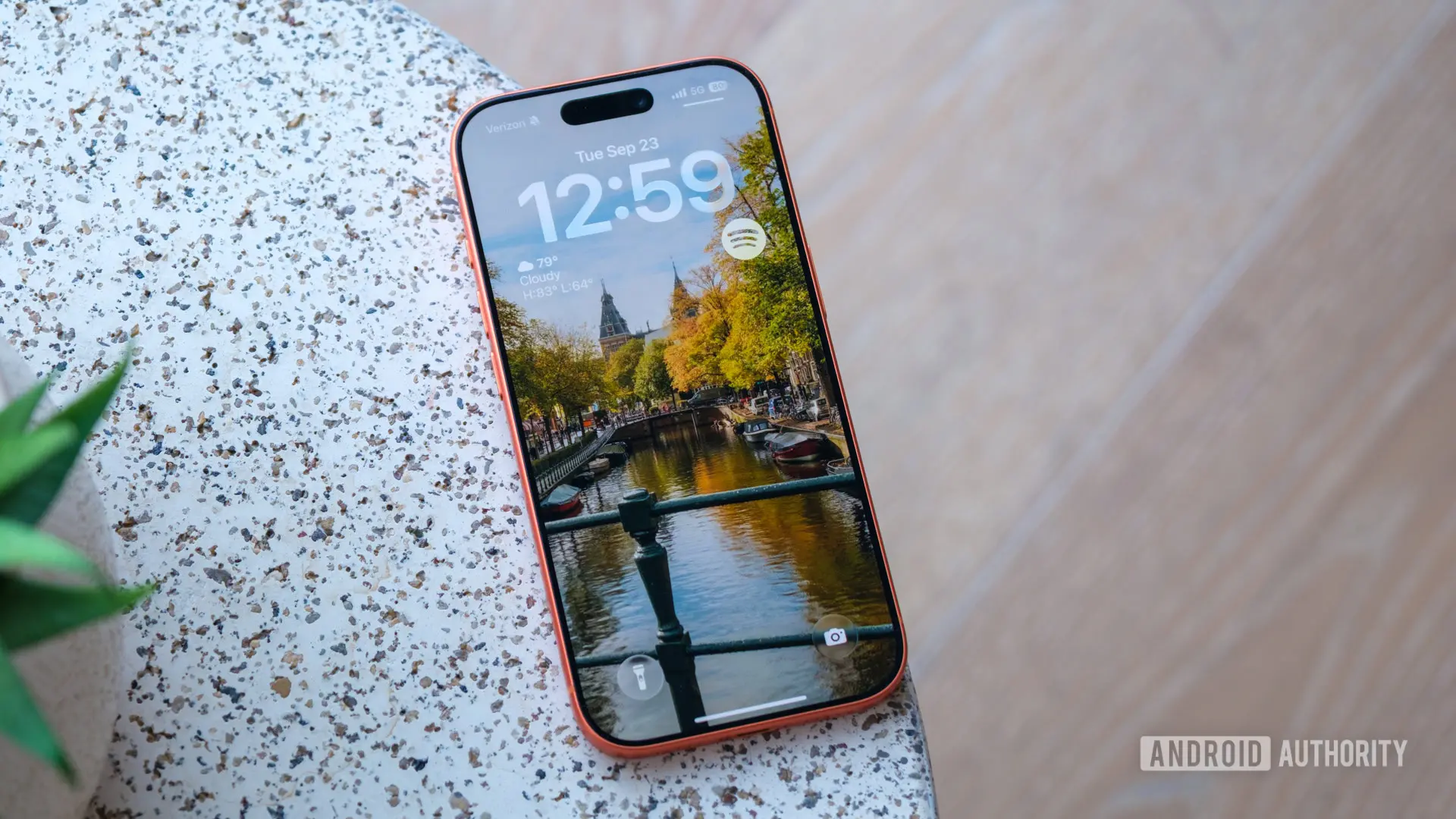
Apple has released iOS 27 developer beta 3, introducing a fresh batch of feature refinements, UI tweaks, and optimization steps ahead of its stable autumn launch. While iOS 27 largely focuses on polishing the overall user experience, Beta 3’s standout aesthetic change is a slick new wallpaper animation that makes the interface feel 3D and layered, and it’s bound to cause some jealousy in the Android camp.
New Wallpaper Animation: A 3D Cutout Effect
The new wallpaper cutout animation appears when swiping down to open the Notification Center. Instead of the entire screen dropping down uniformly, the system uses on-device intelligence to isolate the foreground subject of your depth-effect wallpaper. This isolated subject floats smoothly over your active app or Home Screen first as a cutout, creating a distinct multi-layered depth effect before the rest of the interface blurs into place.
This feature relies on the depth-effect wallpaper option available in iOS. If you don’t see the depth effect as an option when setting a wallpaper, the transition effect will not trigger. The effect works best with photos that have a clear human or animal subject and decent scope for background-foreground separation. The animation is reminiscent of the parallax wallpapers seen on Android devices, but Apple has taken it a step further with real-time cutout and floating behavior that feels far more dynamic.
In practice, the animation gives the impression that the subject is hovering above the rest of the interface, adding a sense of depth that makes the Home Screen and Notification Center interaction feel more immersive. This kind of visual polish is something Apple has been refining for years, and it’s a clear example of how the company’s focus on animation and interaction design continues to set its products apart.
Siri Voice Customization Now Fully Operational
Beyond the wallpaper trick, iOS 27 developer beta 3 unlocks highly anticipated functional upgrades. Siri voice customization is now fully operational on compatible devices, such as the iPhone 17 Pro, allowing users to adjust the assistant’s speaking pace and expressivity natively. This is a significant expansion of Siri’s capabilities, giving users more control over how the assistant sounds rather than just the voice color. The feature was first announced at WWDC but was only partially available in earlier betas. Now, users can fine-tune Siri’s delivery to match their preferences—whether that’s a faster, more direct pace or a slower, more conversational tone. Additionally, the expressivity slider allows for adjustments in pitch and emphasis, making Siri feel more natural and less robotic.
This customization is powered by on-device intelligence, ensuring that privacy is maintained while still offering a personalized experience. The iPhone 17 Pro, with its advanced neural engine, handles the processing without sending data to the cloud. For users with older devices, Siri voice customization may be limited or unavailable, but Apple has confirmed it will be supported on models with at least the A18 chip.
Live Recognition: A Major Accessibility Boost
Accessibility gets a major boost with “Live Recognition,” an on-device intelligence tool that uses the camera to describe the surrounding environment and answer specific user questions in real time. This feature is designed for visually impaired users, but it can also be useful for anyone needing environmental awareness. For example, a user can point their iPhone at a room and ask, “What’s on the table?” or “How many people are in this room?” The system processes the camera feed and provides spoken descriptions or answers to queries. Live Recognition builds on the existing VoiceOver and Magnifier features, integrating them into a seamless, real-time experience. It works offline and does not require an internet connection, which is crucial for accessibility tools that need to be reliable in all situations.
This feature represents Apple’s deepening commitment to accessibility, and it leverages the same machine learning models used for photo categorization and depth mapping. The API is also expected to be made available to third-party developers, allowing apps to integrate live recognition capabilities.
Granular AirPods Adaptive Audio Slider
AirPods owners using the “Adaptive” audio mode will find a new granular slider to balance transparency and active noise cancelation. The feature was spotted by Aaron Perris on X. Previously, Adaptive mode automatically blended these two states based on the user’s environment, but users had limited control over the balance. Now, a slider in the AirPods settings allows for fine-tuning, letting users choose how much noise cancellation to apply versus how much ambient sound to let in. This is particularly useful in dynamic environments like offices, streets, or public transport, where perfect noise cancellation or full transparency may not be ideal. The slider can be accessed from the Control Center or the Bluetooth settings, and it works with AirPods Pro (2nd generation and later) and AirPods 4 with ANC.
Minor Quality-of-Life Improvements
Several minor quality-of-life improvements round out the release. The Reminders app icon sports updated “Liquid Glass” checklist bullets, giving the app a more modern and cohesive look. The bullets now have a glossy, translucent appearance that matches the overall aesthetic of iOS 27. In the Photos app, users can now toggle star ratings on thumbnails, making it easier to sort and organize images. This is a welcome addition for photography enthusiasts who want to quickly mark their best shots. When enabled, a small star rating appears on the bottom-left corner of each thumbnail, and ratings can be set from the photo viewer.
Additionally, the update includes various bug fixes and performance improvements, such as smoother animations when entering and exiting apps, improved battery life on iPhone 17 models, and better stability for third-party widgets. Apple has also addressed a few issues with the new Control Center layout introduced in iOS 27, ensuring that toggles respond more reliably.
Context and Expectations for Stable Release
iOS 27 has been in development since early 2026, with multiple beta releases leading up to the public launch anticipated in September or October, alongside the rumored iPhone 18 Pro and iPhone Ultra. The stable version is expected to include all the features introduced in the betas, plus final optimizations. The wallpaper animation, Siri customization, and Live Recognition are likely to be marquee features that will be heavily promoted in marketing materials.
Apple is known for refining its software during the beta cycle, and iOS 27 beta 3 represents a significant step forward in terms of both features and polish. The new wallpaper trick, in particular, has generated buzz on social media, with users sharing videos of the effect in action. It’s a reminder that even small UI changes can have a big impact on user perception and delight.
While Android has long offered various wallpaper parallax and live wallpaper options, Apple’s approach with the cutout animation feels more intentional and integrated into the system’s navigation. It leverages the depth data captured by modern iPhones and uses the neural engine to perform real-time segmentation, something that requires careful optimization to avoid lag. The fact that the animation triggers only with depth-effect wallpapers ensures that it remains a premium feature for those who actively use it, while also encouraging users to explore the wallpaper customization options available in iOS.
As the beta program continues, we can expect a few more incremental updates before the final release. Developers and public beta testers will have the opportunity to test these features and report bugs, which Apple will address in subsequent builds. The company typically runs five or six betas before the golden master, so there is still time for additional refinements.
For now, iOS 27 beta 3 is available to registered developers, and a public beta is expected to follow within a week or two. Users who are eager to try the new wallpaper animation should ensure they have a compatible iPhone with a depth-effect wallpaper set. The effect is not enabled by default—users must manually choose a wallpaper that supports depth effect in the settings. Once set, the animation becomes part of the everyday navigation experience, adding a touch of delight to each swipe down to see notifications.
Source: Android Authority News